Free and open source · macOS · Windows · Linux

Your music deserves more than a browser tab

ytmGO is a fast, native YouTube Music client for your desktop, with lyrics that keep time, video when you want it, and a library that's there the moment you open the app.

Apache-2.0 · No account needed to start listening

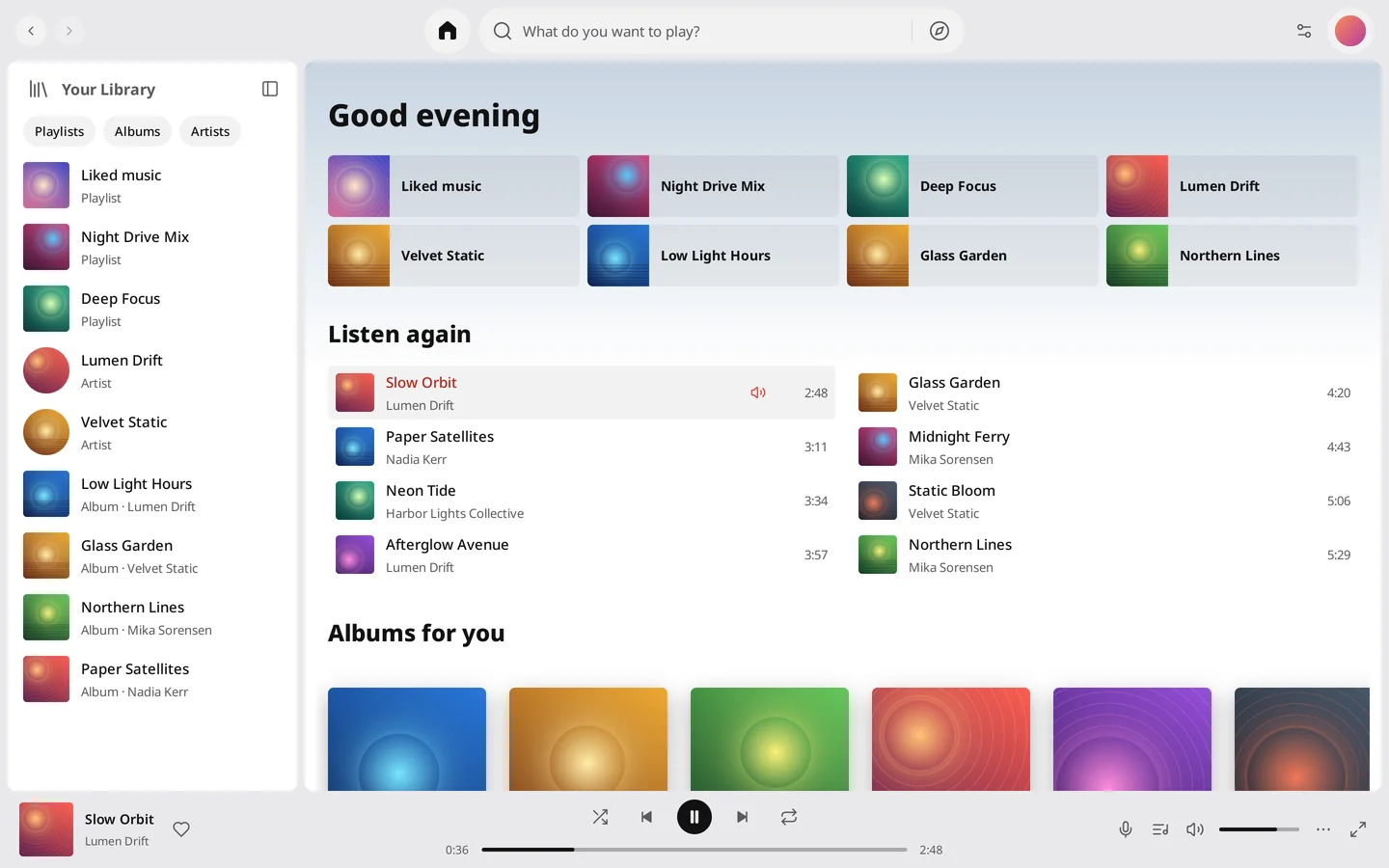
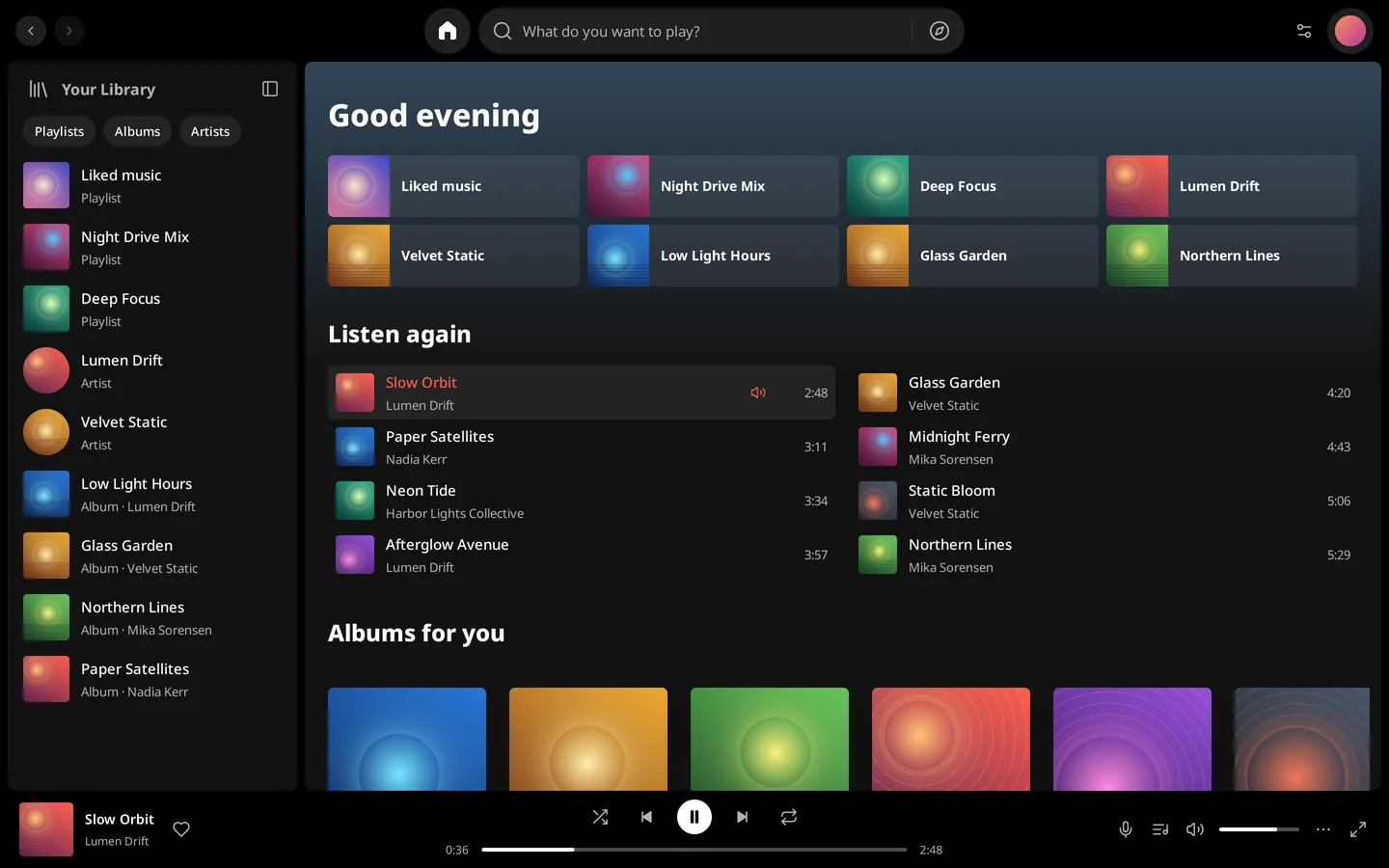
The ytmGO home screen: the library sidebar, quick picks, a Listen again shelf and the player bar.

Synced lyrics

Lyrics that keep time

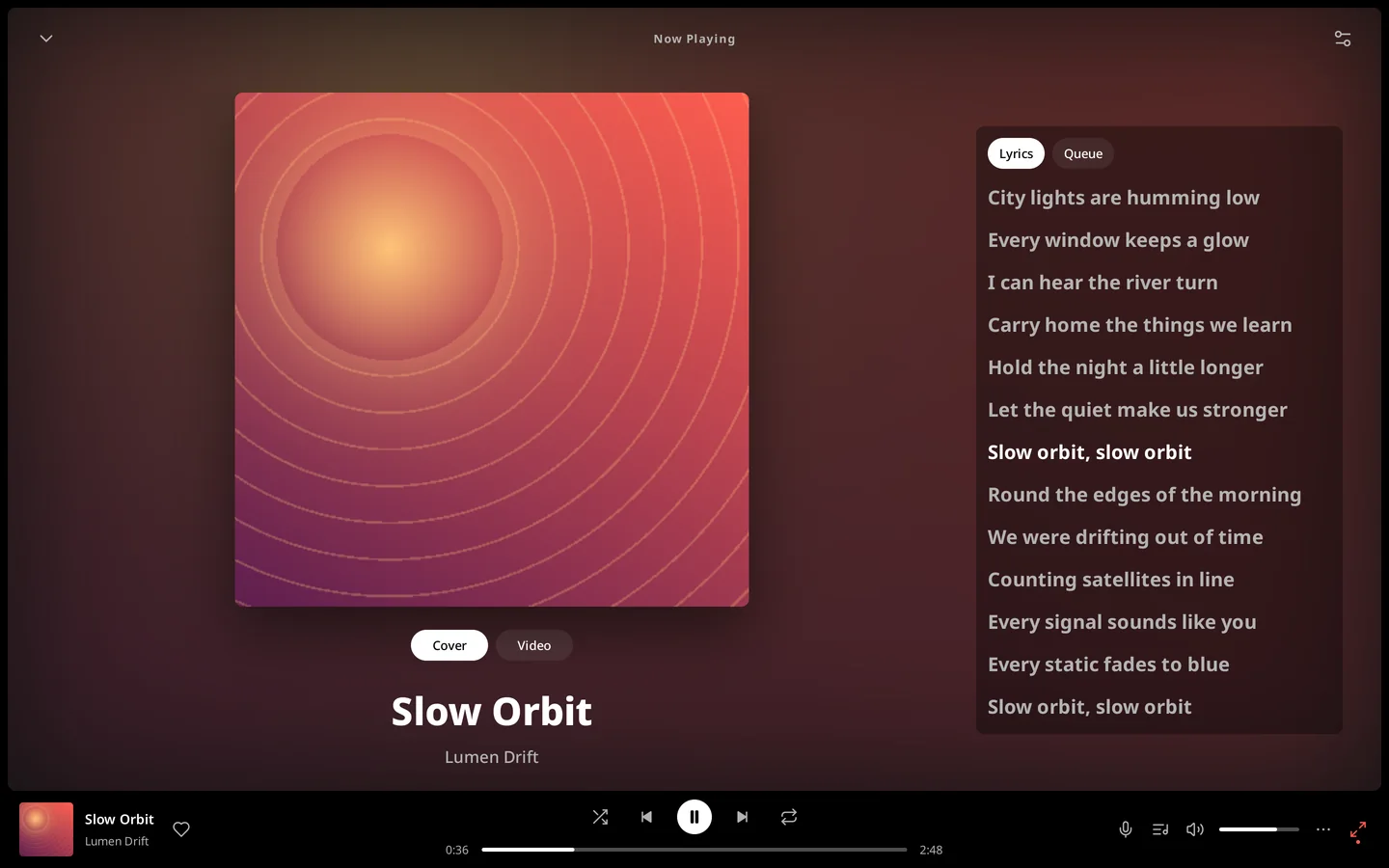
The current line lights up and stays centred as the song plays. Scroll to read ahead whenever you like; one click on Follow playback brings you back to the beat.

  • Drag through the lyrics and let go to jump to that line
  • Opens to the lyrics the first time you press play
  • Make room for the words by shrinking the cover

Your library

Right where you left it

Your playlists, albums and artists appear the moment ytmGO opens, then refresh quietly in the background. Quit in the middle of a song, and next time it waits at the same second, paused until you press play.

  • Home, Explore, Search and Library, straight from YouTube Music
  • Keep scrolling and the next page is already loading
  • Back and Forward return to pages exactly as you left them
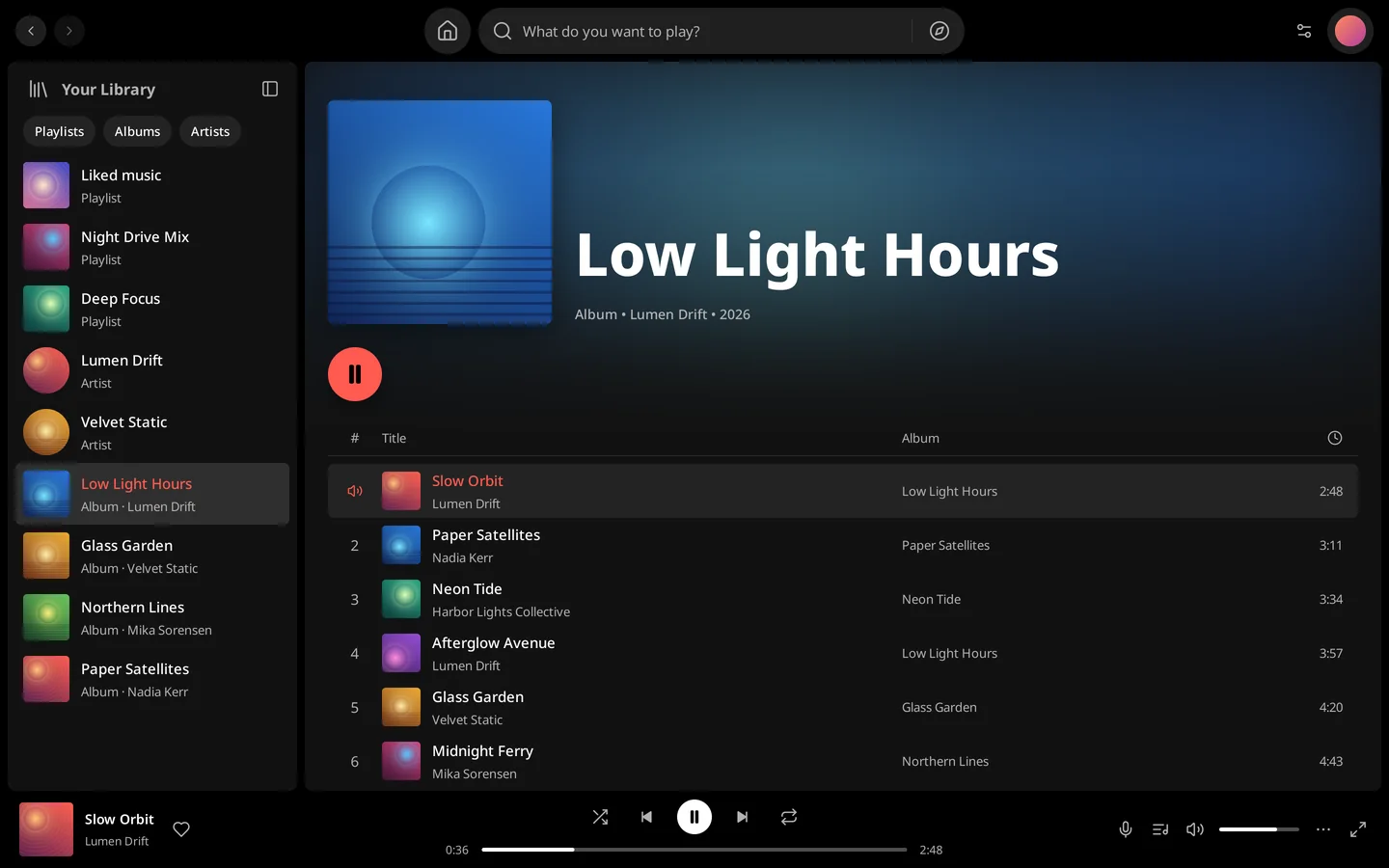
An album page in ytmGO with a large cover, a play button and a numbered track list.

Immersive mode and video

Let the music take the whole screen

Immersive mode puts the cover, the lyrics and the queue across the whole window. Switch from the cover to the music video at any time: it stays in step with the audio, and the moment you hide it, the decoder stops while the music plays on.

  • Video from 144p up to 1080p, 720p by default
  • Your chosen quality is kept across tracks and restarts
  • Hiding the video releases its decoder instantly
Immersive mode: a large cover beside synchronized lyrics with the current line highlighted.

Any window, any light

Fits however you listen

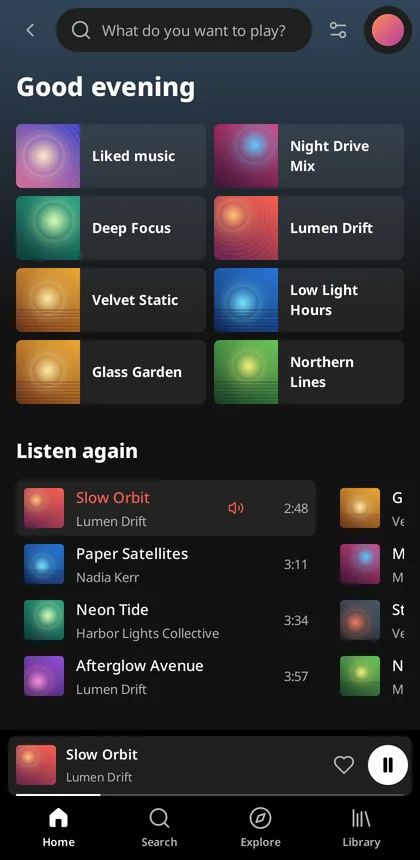
A full sidebar on a wide screen, a slim rail in between, and a mini player with tabs when the window is narrow. Light or dark, in four languages, and it switches without interrupting the song.

ytmGO in light appearance with the full library sidebar.
ytmGO in a narrow window, with a mini player above a bottom tab bar.

Thoughtful down to the details

  • Keyboard first

    Search with ⌘K or Ctrl+K, control playback without the mouse, and set a global shortcut to play or pause from any app.

  • Part of your system

    Your system's media controls, the menu bar or tray icon and the app menus all drive the same player.

  • Native, not a wrapper

    The music window is drawn by Go, not by a bundled browser. A system web view opens only to sign in or, when needed, to verify playback.

  • Updates itself, safely

    Each update is checked against an Ed25519 signature before it installs, and your account and settings carry over.

  • Premium or not

    Listen signed out, with a free account or with YouTube Music Premium. Your membership is read from YouTube's own answer, never guessed.

  • Respects your network

    HTTP_PROXY, HTTPS_PROXY and NO_PROXY apply to every request, and on macOS ytmGO follows the system proxy settings too.

Privacy and security

Your account stays yours

ytmGO keeps as little as it can, encrypts what it must keep, and lets you remove all of it.

  1. Sign in on Google's own page

    Sign-in happens on Google's real page in a separate window that closes when you're done. There's no browser extension and no local login server.

  2. Encrypted on your device

    Your session is sealed with AES-256-GCM. The only thing kept in your Keychain, Credential Manager or Secret Service is its 32-byte key.

  3. Diagnostics stay local

    Diagnostic files record only fixed status codes: no addresses, cookies, account IDs or logs, and nothing is uploaded.

  4. Signing out means gone

    Sign out and clear local data deletes the encrypted session and its key. Your Google session in other browsers stays untouched.

Download

Get ytmGO

Free for macOS, Windows and Linux. Each download comes straight from the project's GitHub releases.

For this computer

macOS

macOS 13 Ventura or later · Apple silicon and Intel

Or install with Homebrew

brew install --cask mreasonyang/taps/ytmgo

Signed with a Developer ID and notarized by Apple. Copy the app to Applications before opening it so it can update itself.

For this computer

Linux

x64 · GTK 3, WebKitGTK 4.1 2.50.2 or later, libsecret

Tested on Ubuntu 24.04. Install with apt so dependencies resolve:

sudo apt install ./ytmgo_VERSION_amd64.deb

All releases · Installation guide

Questions, answered

Is ytmGO made by Google or YouTube?

No. ytmGO is an independent open-source project. It isn't affiliated with, endorsed by or sponsored by Google LLC or YouTube.

Do I need YouTube Music Premium?

No. You can listen without signing in, with a free account, or with Premium. Signing in brings in your own library and likes.

Does ytmGO cost anything?

No. ytmGO is free and open source under the Apache License 2.0.

Can I sign in with a passkey on macOS?

Not at the moment. Apple only lets an app use passkeys for websites it's associated with, and an independent app can't be associated with google.com. Choose another way to verify on Google's sign-in page.

Why does Windows warn me about the installer?

The installer isn't Authenticode-signed yet, so SmartScreen may ask you to confirm. Updates delivered inside the app are still verified with an Ed25519 signature before they install.

How do updates work?

ytmGO checks shortly after it starts and then once a day, and lets you install, postpone or skip each update. Homebrew users can also run brew upgrade, and Linux .deb installs update through apt.

What does ytmGO keep on my computer?

Only what it needs to start where you left off: the encrypted session, a snapshot of your library, your place in the queue and your preferences. Covers that YouTube marks as public are cached for up to a day; your avatar never is.

Press play

Download ytmGO